# 2.6 Legal Notice / Warning

If you sell products related to tobacco and alcohol, you must follow the guidelines from the Tobacco and Alcohol Control Office of the Department of Health, and display the prescribed notice in a reasonably legible manner.

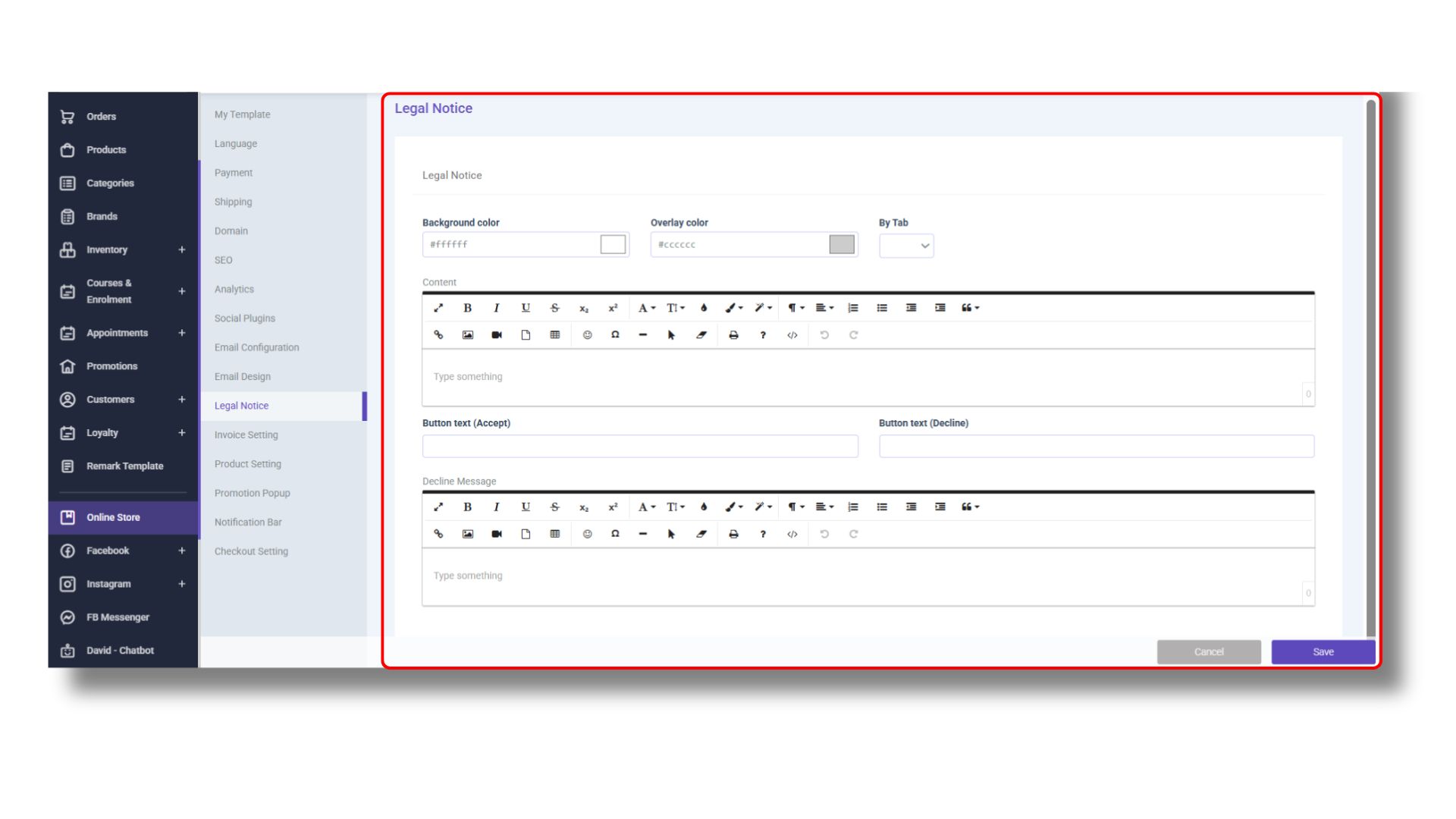
You can fill in the legal notices and rejection messages through <mark style="color:purple;background-color:purple;">**「STOREBERRY Admin Panel」**</mark> → <mark style="color:purple;background-color:purple;">**「Online Store」**</mark> → <mark style="color:purple;background-color:purple;">**「Legal Notice」**</mark> to prevent customers who refuse to accept the declaration from entering the website.
<figure><picture><source srcset="/files/XGvz1tBklopiQtaT2OGr" media="(prefers-color-scheme: dark)"><img src="/files/AioPhsBhWSQFEQ7dmJX2" alt=""></picture><figcaption></figcaption></figure>


---

# Agent Instructions: Querying This Documentation

If you need additional information that is not directly available in this page, you can query the documentation dynamically by asking a question.

Perform an HTTP GET request on the current page URL with the `ask` query parameter:

```
GET https://storeberry-docs.gitbook.io/user-guide/en/online-store/2.6-legal-notice-warning.md?ask=<question>
```

The question should be specific, self-contained, and written in natural language.
The response will contain a direct answer to the question and relevant excerpts and sources from the documentation.

Use this mechanism when the answer is not explicitly present in the current page, you need clarification or additional context, or you want to retrieve related documentation sections.
